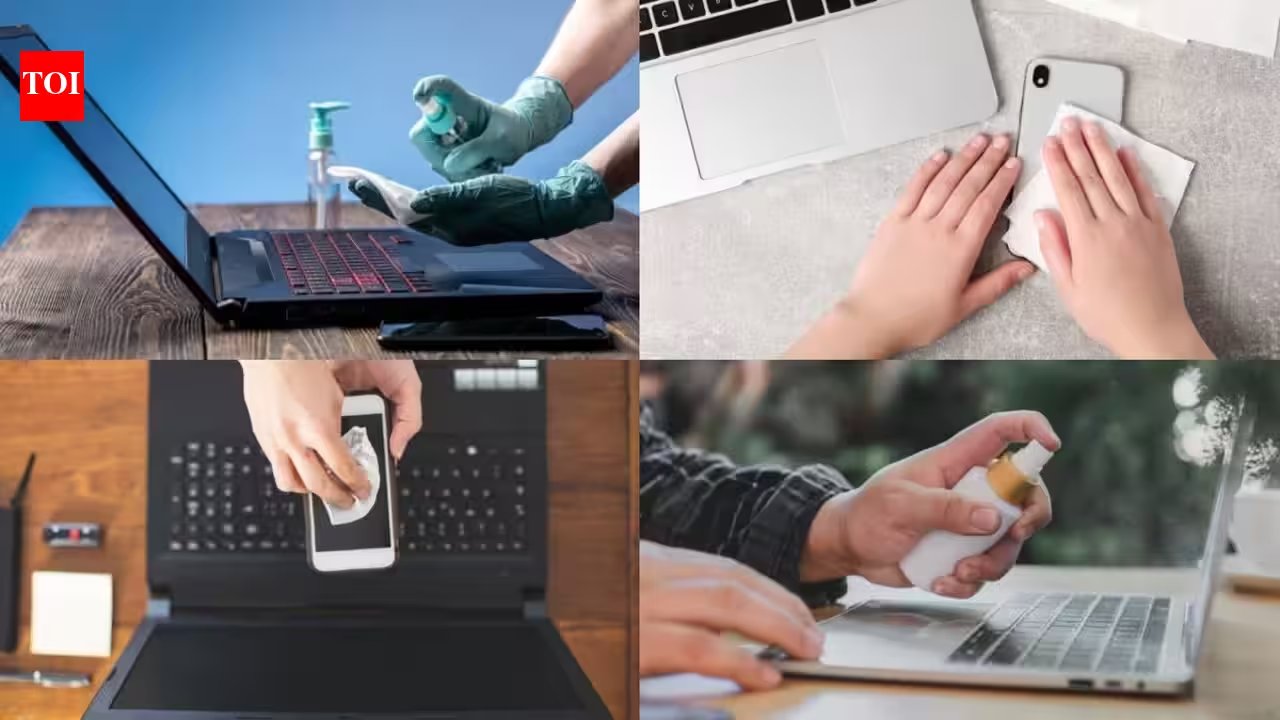
Use a 70% isopropyl alcohol wipe to give your phone’s screen a quick, skin‑friendly cleanse—just a swipe and a subtle antiseptic scent, no sticky residue.
Phones are the ultimate germ magnets; a single device can hold more bacteria than a toilet seat. That’s why a quick wipe every Sunday can keep both your skin and your tech in tip‑top shape—think of it as a fresh face‑mask for your gadget.
After turning off and unplugging, gently swipe the screen, back, and edges, steering clear of ports. The wipe’s cool, slightly tacky feel ensures the alcohol doesn’t drip into the charging jack. Let it sit for a few seconds, then wipe again to remove any excess.
The case is a hidden dirt trap, so wash it separately. A mild dish soap and warm water, followed by a dry microfiber cloth, will lift grime without damaging any silicone or leather. If you’re in a hurry, a quick wipe with a damp cloth works too—just avoid soaking.
Laptops get the same treatment: a 70% isopropyl wipe on the keyboard, trackpad, and outer shell, plus a microfiber cloth lightly dampened for the screen. Give each surface about 30 seconds to work; the alcohol will do the heavy lifting while you keep the device dry.
Make it a habit by placing a small bottle of wipes and a microfiber cloth in your desk drawer or kitchen counter. Pair the ritual with your Sunday unwind—watch a show, light a candle, and give your tech a quick spa. Remember, alcohol is flammable, so keep it away from open flames and out of reach of kids.
Give yourself a boost by buying a pack of PureClean Pro wipes and a soft microfiber cloth from your nearest pharmacy; they’re affordable, effective, and a small price for a cleaner, healthier hands‑to‑face routine. Try it next time you sit down for a coffee, and feel the difference in both your skin and your device.